Best Hardware for Homelab Server 2026: Ultimate Setup Guide
For developers and IT enthusiasts, putting together a home server is no longer just a fun weekend project—it’s practically essential. As cloud subscription costs skyrocket and data privacy becomes a growing concern, bringing your infrastructure in-house makes perfect strategic sense.
That said, tracking down the best hardware for homelab server 2026 builds can easily overwhelm newcomers and veteran engineers alike. The market is absolutely flooded right now. You have to navigate a maze of power-hungry enterprise gear, countless Mini PC options, and CPU architectures that seem to change by the minute.
In this guide, we’ll break down exactly what you need to piece together the ideal self-hosted setup. Whether you’re aiming for a whisper-quiet, low-power desktop node or a massive, enterprise-grade hypervisor, we’ve got you covered.
Quick Answer: The best hardware for homelab server 2026 setups generally falls into three distinct categories: 1) Mini PCs (Intel N100/N305 or Ryzen 9) for unbeatable power efficiency, 2) Custom Whitebox Builds (Intel Core i5 or AMD Epyc) for flexible virtualization workloads, and 3) Refurbished Enterprise Gear (Dell R740/R750) for massive PCIe lane scaling.
Why Choosing the Best Hardware for Homelab Server 2026 Matters
When mapping out a home server build 2026, beginners frequently make the same critical mistake: they go overboard on CPU power while completely ignoring energy efficiency. Before long, this oversight results in painful electricity bills and a home office that feels like a sauna.
The real technical trick is finding the sweet spot between raw computational power, available PCIe lanes, and idle power draw. If you are running modern virtualization hypervisors like Proxmox or ESXi, you definitely need enough CPU cores to juggle dozens of containers without experiencing annoying latency drops.
On top of that, running local AI models or heavy database queries means you have to pay close attention to IOMMU groups. The right hardware ensures smooth PCIe passthrough, which allows your virtual machines to communicate directly with your GPUs or network interface cards.
Finally, storage needs have completely shifted over the last few years. Because modern applications demand incredibly high Input/Output Operations Per Second (IOPS), NVMe storage and ZFS caching have become the new baseline for any serious self-hosted setup. Standard spinning hard drives simply can’t keep up with these workloads anymore.
Quick Starter Builds: Best Basic Homelab Solutions
If you’re just dipping your toes into self-hosting, there is absolutely no need to rush out and buy a massive server rack. In fact, a low power homelab server is usually the smartest choice for managing Docker containers, running smart home automation, or hosting your personal media library.
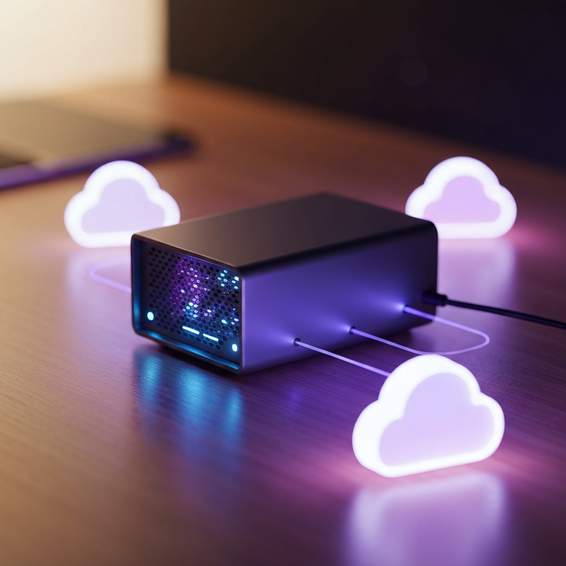
- Intel N100 and N305 Mini PCs: These ultra-efficient processors sip less than 15 watts even when under full load. Because of this, they are fantastic for basic NAS hardware 2026 builds, functioning as lightweight routers, or running a simple Pi-hole DNS sinkhole.
- Minisforum and Beelink Ryzen Mini PCs: Packing up to 8 cores and 16 threads, these tiny powerhouses make for the ultimate mini pc proxmox nodes. Specific models like the Minisforum MS-01 even feature integrated 10GbE networking, delivering massive performance straight out of a tiny 1-liter box.
- Refurbished SFF Desktops: Small form factor machines, like the Lenovo ThinkCentre Tiny or Dell OptiPlex series, continue to be both highly reliable and surprisingly affordable. As a bonus, they usually feature an open PCIe slot so you can easily drop in a network expansion card.
Kicking things off with one of these modest solutions gives you the perfect sandbox to master Linux administration and container management. Best of all, you won’t have to worry about a shocking electric bill at the end of the month.
Advanced Solutions: Enterprise Server for Home Use
If you work as a DevOps engineer, software developer, or system administrator, a basic mini PC probably isn’t going to cut it. You require enterprise-grade reliability, ECC memory support, and an abundance of PCIe lanes for dedicated hardware passthrough.
Picking up decommissioned enterprise hardware remains a highly popular strategy. Going into 2026, beasts like the Dell PowerEdge R740 and R750 are flooding the secondary market at heavily discounted prices. These robust platforms offer the immense compute capacity necessary for running complex Kubernetes clusters.
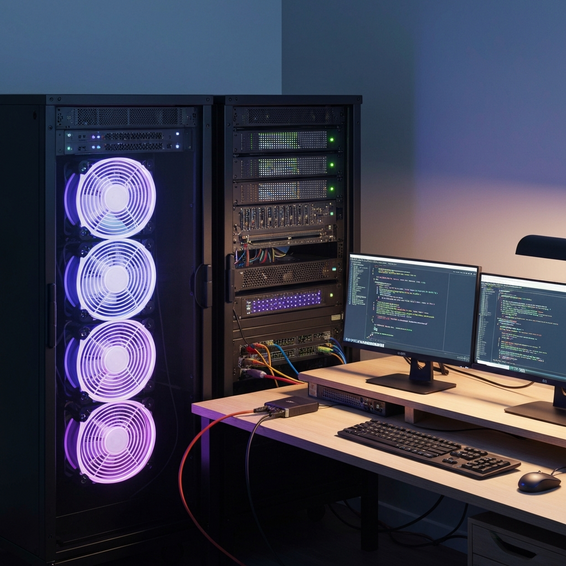
On the other hand, putting together a custom Whitebox rig is an excellent way to get an enterprise server for home use. By pairing a dedicated ASRock Rack motherboard with an AMD Epyc Rome or Milan processor, you unlock incredible, modern server capabilities tailored exactly to your needs.
The biggest advantage of a custom build is having strict control over your system’s acoustics. You get to enjoy all the rich benefits of enterprise hardware, but without the deafening, high-RPM fan whine that usually plagues standard 1U and 2U rackmount servers.
Best Practices for Homelab Optimization
Maximizing the return on your hardware investment requires a bit of thoughtful infrastructure optimization. Before you start buying new servers, you need to make sure your core network is actually capable of handling the throughput you expect.
- Upgrade Your Network Gear: Standard gigabit connections are a major bottleneck these days. You’ll want to invest in 2.5GbE or 10GbE homelab network gear, relying on smart switches from brands like Ubiquiti or Mikrotik to ensure your data moves at lightning speed.
- Optimize Your Storage Pools: Stick to ZFS mirrors for your most critical data arrays. If you really want to see a performance boost, adding an NVMe L2ARC cache drive alongside an SLOG device will dramatically accelerate both your read speeds and synchronous write operations.
- Implement Network VLANs: Be sure to segment your management interfaces, smart home IoT devices, and public-facing web services. Setting up proper isolation is crucial for network security because it actively prevents unauthorized lateral movement across your systems.
- Monitor Thermal Output: Always double-check that your server rack or closet has plenty of airflow. Heat is the ultimate killer of hardware longevity, and this is especially true for densely packed NVMe storage drives.
For those needing a bit more help with network configuration, check out our comprehensive home network guide to learn exactly how to secure your self-hosted perimeter.
Recommended Tools and Resources
Matching your carefully selected hardware with the right software stack is the final piece of the deployment puzzle. Below are the essential platforms and tools you will need to keep everything running like a well-oiled machine.
- Hypervisor OS: Proxmox VE easily holds its title as the undisputed king of home server virtualization. Out of the box, it delivers robust native ZFS integration, KVM virtualization, and seamless LXC container support.
- Storage and NAS OS: Built on Debian Linux, TrueNAS Scale provides an incredibly powerful environment. It’s perfect for managing massive disk arrays and smoothly deploying Kubernetes-based applications.
- Infrastructure as Code (IaC): If you want to save yourself hours of tedious, manual configuration, tools like Ansible and Terraform are absolutely critical for automating your virtual machine deployments.
- Hardware Sourcing: When hunting for brand-new components or tiny computers, it always pays to check out Amazon’s Mini PC Deals. They are a great place to find excellent starter nodes backed by fast shipping and generous return policies.
If you want to truly master automated deployments, take a dive into our comprehensive HomeLab archives where we cover advanced tutorials on modern DevOps practices.
Frequently Asked Questions (FAQ)
What is the best CPU for a home server in 2026?
For beefy custom builds, the AMD Ryzen 9 9900X and Intel Core i5-14500 currently stand out as top-tier options. If you need something with a lower power footprint, the Intel N100 or Core i3-N305 series are ridiculously efficient. Plus, they include QuickSync video, making them a dream for Plex media transcoding.
How much RAM does a homelab actually need?
If you’re just running a basic Docker environment with a handful of web services, 16GB to 32GB will be more than enough. However, if your goal is to run Proxmox with several virtual machines alongside memory-hungry ZFS storage pools, you really need to aim for 64GB to 128GB of RAM to avoid annoying bottlenecks.
Do I need ECC RAM for my home server?
If your server is holding irreplaceable family photos, sensitive financial documents, or running a vital ZFS storage pool, Error-Correcting Code (ECC) RAM is strongly recommended. On the flip side, if you are just building a temporary lab or streaming media, standard non-ECC memory will work perfectly fine.
Is a Raspberry Pi enough for a homelab?
A Raspberry Pi 5 is a brilliant little device for learning the ropes of Linux administration and hosting lightweight Docker containers. But once you move into serious virtualization, intensive database queries, or high-speed storage needs, you will definitely want to choose x86-based hardware over ARM.
How much electricity does a homelab use?
It really depends on the gear. A modern Mini PC setup usually idles around 10 to 15 watts, which translates to about $15 a year for 24/7 operation. Meanwhile, an older, decommissioned enterprise rack server might idle anywhere from 150 to 200 watts. Depending on your local utility rates, that beast could easily add $200 or more to your annual electric bill.
Conclusion
Building out your own personal infrastructure and finally breaking free of cloud infrastructure limits doesn’t have to be a stressful ordeal. As long as you take the time to figure out exactly what you need—whether that’s strict power efficiency, enormous storage space, or just raw compute power—you can make confident, informed purchases.
At the end of the day, picking out the best hardware for homelab server 2026 comes down to your unique engineering goals. You might start small with a spunky Mini PC, later expand your local storage using dedicated NAS hardware, and eventually upgrade to robust enterprise gear when your self-hosted applications require more muscle.
There really has never been a better time to assemble your dream local server. So gather your components, install a rock-solid hypervisor, and start bringing your self-hosted infrastructure to life today.
About the Author