NoSQL vs SQL Explained for Beginners: A Complete Guide
Whether you’re coding a simple to-do list or engineering a streaming giant like Netflix, every modern application needs a reliable way to store and retrieve data. But if you’re stepping into full-stack development or IT administration for the first time, you’ll inevitably hit a major roadblock: you have to choose the right database.
Making sense of the underlying differences between these data structures often feels like learning a new language. Just looking at the terminology—schemas, tables, documents, and nodes—can easily trigger analysis paralysis. Don’t worry, though. If you are looking to have nosql vs sql explained for beginners, you’ve found the perfect starting point for your data engineering journey.
Throughout this guide, we’ll strip away the jargon and break down exactly how relational and non-relational systems actually work. By the time you reach the end, you’ll know how to pick the perfect database for your next build. We’ll also cover how these systems scale across servers and highlight the industry best practices you need to manage them securely.
NoSQL vs SQL Explained for Beginners: Why This Problem Happens
The confusion surrounding SQL and NoSQL usually comes down to how fast data management has evolved. Just a couple of decades ago, nearly every application relied on SQL (Structured Query Language). These relational databases neatly organized information into predictable rows and columns, functioning a lot like a highly complex Excel spreadsheet.
Then, the internet exploded. Suddenly, companies weren’t just storing neat user profiles; they were managing a tidal wave of unstructured data. From erratic social media feeds and diverse IoT sensor readings to complex user attributes, the traditional, rigid tables struggled to keep up. This massive shift in how we handle data led directly to the birth of NoSQL (Not Only SQL) systems.
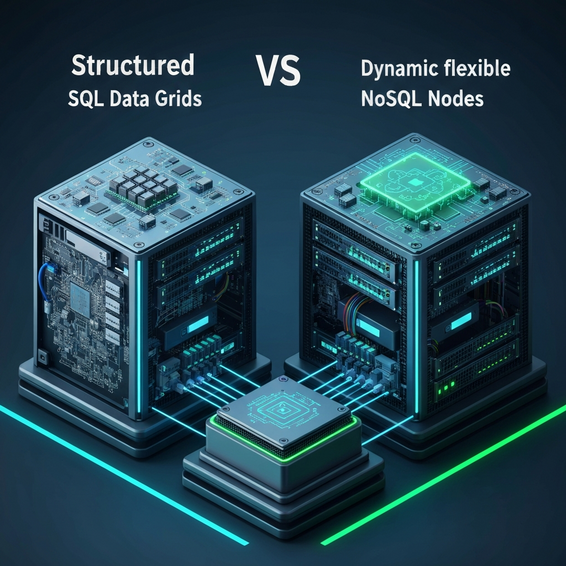
At a technical level, this divide boils down to how each system models information. SQL databases require a strictly predefined schema. Before you can save a single piece of data, you have to map out your columns, relationships, and specific data types. Want to add a completely new field later on? You’ll have to run a database migration to update the entire table, which can be a slow and delicate process.
NoSQL databases toss that rigid playbook out the window. They rely on dynamic, flexible schemas. Instead of forcing data into a grid, you can store it as JSON-like documents, wide columns, key-value pairs, or interconnected graphs. Because you aren’t forced to redesign your tables every time a project’s requirements change, this flexibility paves the way for much faster development cycles.
Beyond structure, these two systems operate on completely different underlying philosophies. SQL is built on strict ACID properties (Atomicity, Consistency, Isolation, Durability). This guarantees that every single transaction either fully completes or safely rolls back, leaving no room for errors. NoSQL, meanwhile, often leans on the BASE model (Basically Available, Soft state, Eventual consistency). By occasionally giving up immediate consistency, NoSQL achieves incredibly high availability and blistering performance speeds.
Quick Fixes / Basic Solutions: How to Choose
If you’re spinning up a new project and need to make a quick decision, you don’t have to overthink it. Instead of getting bogged down in the technical weeds, use these reliable rules of thumb to figure out which database makes the most sense for your current needs.
- Choose SQL for highly structured data: When your information naturally fits into rows and columns with distinct relationships between them, a relational database is almost certainly your best bet.
- Choose SQL for complex queries and reporting: Need to join multiple tables together to run deep analytics? Relational powerhouses like MySQL and PostgreSQL were specifically built to handle this exact workload.
- Choose NoSQL for rapid application development: If your data requirements are a moving target, or if you’re racing to launch a Minimum Viable Product (MVP), flexible document databases like MongoDB will save you hours of structural headaches.
- Choose NoSQL for massive, simple read/writes: For tasks like caching active user sessions, capturing real-time analytics, or logging basic preferences, key-value stores like Redis deliver unmatched, lightning-fast performance.
- Choose SQL for strict financial transactions: Whenever you’re dealing with sensitive money matters—like banking, billing ledgers, or e-commerce inventory—you absolutely need the bulletproof ACID compliance that SQL provides.
To simplify things even further, just look at your main business goal. Is ironclad data integrity the most important factor? Go with SQL. Are you more focused on high-speed delivery, horizontal scalability, and adapting to unpredictable, unstructured data? Lean heavily toward NoSQL.
Advanced Solutions: Designing at Scale
Looking at this from an engineering standpoint, getting nosql vs sql explained for beginners wouldn’t be complete without touching on enterprise scalability. How your database handles growth will ultimately dictate how much time, budget, and late-night troubleshooting you’ll spend on server infrastructure down the road.
Historically, SQL databases scale vertically. In the IT world, we call this “scaling up.” To handle more traffic, you have to upgrade the actual hardware of your primary database server. That means buying more RAM, slotting in faster NVMe SSDs, or upgrading the CPU. While this approach is incredibly straightforward, it has a hard physical limit. Eventually, a single server can only get so big, and upgrading it becomes prohibitively expensive.
NoSQL databases, however, were designed from day one to scale horizontally. Known as “scaling out,” this method involves adding more standard servers—or nodes—to your existing database cluster. The NoSQL system intelligently divides and distributes the data load across these multiple machines. As a result, handling a sudden surge in global web traffic becomes much easier and far more cost-effective.
Realistically, advanced enterprise applications rarely stick to just one database type. Today’s developers often embrace a strategy called Polyglot Persistence. Inside a modern microservices architecture, a company might use a rock-solid SQL database to handle billing and user authentication, while simultaneously running a NoSQL database to power real-time messaging and a dynamic product catalog. By combining both, you get to leverage the unique strengths of each system.
Best Practices for Database Management
Regardless of which backend route you decide to take, sticking to industry best practices is non-negotiable if you want high performance and tight security. Even the most powerful database in the world will bring your application to a grinding halt if it’s poorly configured.
First and foremost, you need to implement proper data indexing. Think of an index like the table of contents in a massive textbook. Instead of forcing the database engine to scan every single row to find a specific piece of information, an index points it directly to the right spot. Whether you’re running SQL or NoSQL, thoughtful indexing is crucial for keeping your queries lightning-fast as your dataset grows.
Second, take the time to set up efficient connection pooling. Forcing your server to open a brand-new database connection every time a user makes a request drains computing resources fast. Connection pools allow your application to securely reuse existing connections. This simple tweak drastically cuts down on latency and can actually prevent server crashes when traffic unexpectedly spikes.
Third, lock down your system with zero-trust security measures. Always practice the principle of least privilege, meaning your application services and users should only have the exact permissions they need to function—and nothing more. Additionally, you should never expose your primary database ports to the public internet. Always tuck them safely behind a strict firewall or within a private subnet.
Finally, don’t just automate your backups; actively test your disaster recovery plan. Utilizing the automation techniques commonly found in modern DevOps workflows guarantees your data is backed up on a reliable schedule. But keep in mind, a daily backup is practically useless if your IT team is scrambling to figure out how to restore it during a live server emergency.
Recommended Tools and Resources
Once you’re ready to get your hands dirty and experiment with data architectures, you’re going to need the right software. Fortunately, there are fantastic options in both the relational and non-relational camps that cater to everyone from self-taught beginners to seasoned enterprise engineers.
- PostgreSQL: Widely regarded as the gold standard for open-source SQL databases, PostgreSQL is incredibly robust, packed with advanced features, and strictly compliant with modern SQL standards.
- MySQL: If you’re looking for a beginner-friendly entry point, MySQL is a highly reliable SQL database that already powers a massive chunk of the web, including standard WordPress sites.
- MongoDB: As the reigning champion of NoSQL document databases, MongoDB is remarkably intuitive for web developers. It stores information in a flexible, JSON-like format that feels completely natural if you write JavaScript.
- Redis: This in-memory NoSQL data structure store is an absolute powerhouse. Because it operates entirely in RAM, Redis is the perfect choice for high-speed caching, session management, and processing background task queues.
If you want to deploy these databases without the headache of managing the underlying operating system yourself, managed cloud services are the way to go. Platforms like AWS, Google Cloud, and DigitalOcean offer fully managed database clusters that automatically handle your routine backups, security patches, and scaling. On the other hand, if you just want to do some local testing on your laptop, utilizing Docker is a fundamental DevOps tool that lets you spin up isolated database environments in a matter of seconds.
FAQ Section
Is NoSQL inherently faster than SQL?
Not necessarily; it all comes down to how you’re using it. NoSQL typically wins the race when you’re executing simple read and write operations on massive amounts of unstructured data. However, if your application relies on complex data aggregations, deep multi-table relationships, and intricate queries, SQL is going to be significantly faster and far more efficient.
Should absolute beginners learn SQL or NoSQL first?
Most industry veterans recommend learning SQL first. Relational databases are still the undisputed standard for the vast majority of business applications worldwide. Grasping the core concepts of relational data—like primary keys, foreign keys, and query syntax—builds a critical foundational knowledge base. Once you understand the rules of SQL, it becomes much easier to understand how NoSQL bends them.
Can a NoSQL database completely replace a SQL database?
Technically yes, but that doesn’t mean it should be your default strategy. Plenty of modern startups rely exclusively on NoSQL to iterate features rapidly. That said, applications handling highly sensitive operations—such as e-commerce checkout flows, flight bookings, or banking transfers—still depend heavily on the uncompromising data consistency that SQL natively guarantees.
What exactly is the CAP Theorem in databases?
The CAP theorem states that any distributed database can only guarantee two of three primary traits simultaneously: Consistency, Availability, and Partition Tolerance. Because network issues are inevitable, you usually have to choose between the first two. NoSQL systems typically prioritize Availability and Partition Tolerance (AP) to ensure the system stays online during a hiccup. SQL databases, by contrast, normally prioritize strict Consistency and Availability (CA).
Conclusion
Picking the perfect backend technology for your next big build really doesn’t need to be a stressful ordeal. Now that you’ve had nosql vs sql explained for beginners, you can approach your database architecture with a clear head and a solid strategy.
Just remember to keep your end goals in focus. Lean on SQL when you have highly structured information, predictable relationships, and an absolute need for transactional integrity. On the flip side, turn to NoSQL when your project demands rapid iteration, flexible data models, and the ability to scale horizontally with ease.
At the end of the day, neither system is objectively “better” than the other. They are just highly specialized tools built to solve completely different engineering problems. The best way to learn is by doing. Try spinning up a local MySQL or MongoDB instance this week, and take your very first hands-on step toward mastering modern database administration.
About the Author